
Build on clear accounts
Work with a chart of accounts and journal entries. Set up opening balances with the person responsible for your books before recording daily activity.
Give accounts, money owed, and financial reports a home alongside the work that creates them.
Plan my finance setup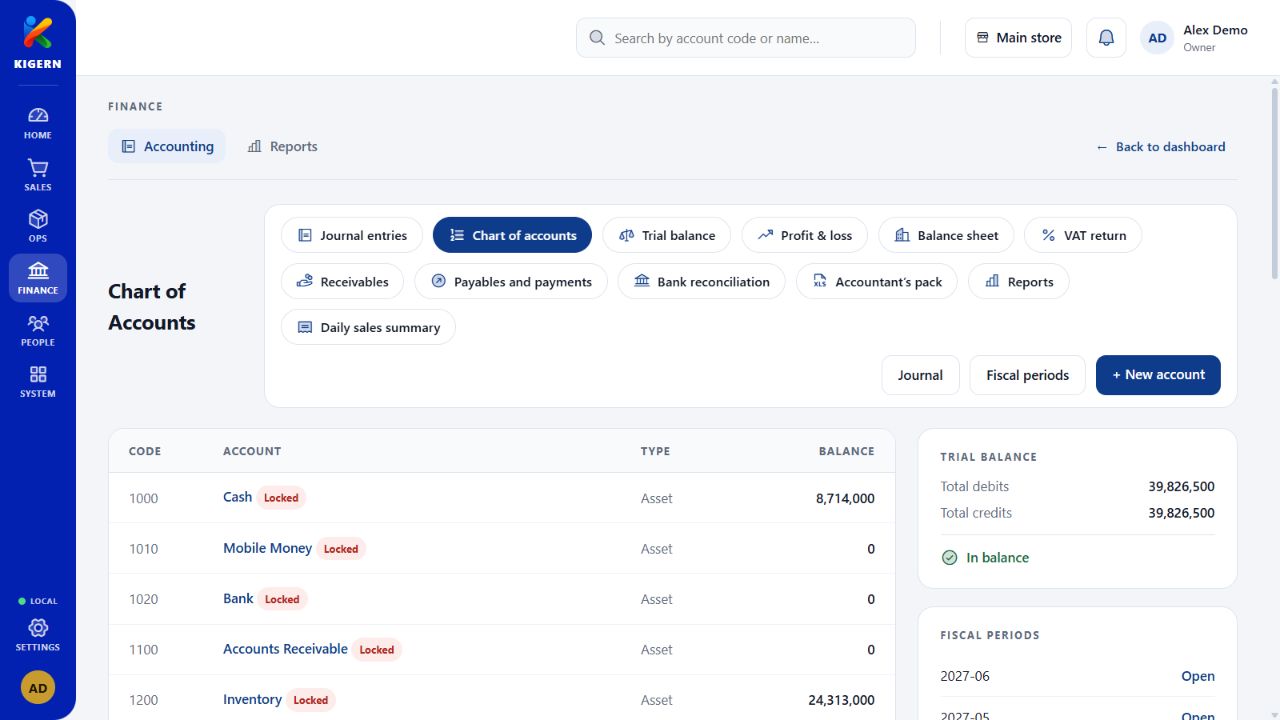
When the day is busy, the numbers still need to tell a coherent story. Kigern brings accounts, journal entries, receivables, and payables into one finance workspace.
Work with a chart of accounts and journal entries. Set up opening balances with the person responsible for your books before recording daily activity.
Review receivables and payables to understand outstanding amounts. Keep customer and supplier balances close to the underlying business records.
Use financial reports and exports when reviewing a period or preparing information for your accountant. Check the reporting dates and entries before sharing.
Sales, purchases, and payments provide context for your accounts. Agree the setup with your bookkeeper or accountant so your daily records support the way you report.
See how the areas fit togetherGather these records before setup. We can help you work through the details.
Read the setup guide