
Serve at the counter
Choose products, check quantities and prices, and prepare the sale in the point-of-sale workspace. Keep a record you can return to after the customer leaves.
From a quick counter sale to an invoice paid later, give every customer transaction a clear record.
Plan my sales setup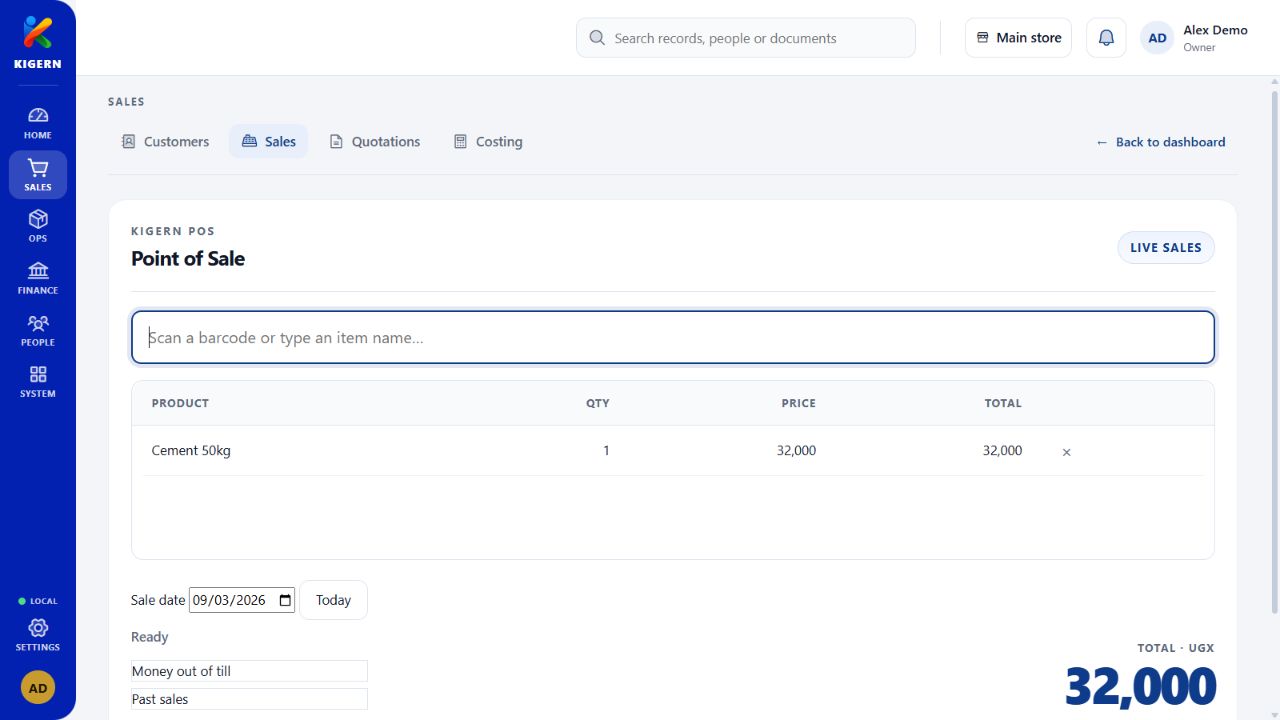
A busy counter needs a simple next step. Your office needs the details afterwards. Kigern brings point of sale, invoices, customer records, and payments into the same workspace.
Choose products, check quantities and prices, and prepare the sale in the point-of-sale workspace. Keep a record you can return to after the customer leaves.
Keep customer details alongside quotations and invoices. Look up earlier transactions when a customer asks about an order or comes back for more.
Record payments and review sales history. Handle returns through the appropriate workflow so the record explains what happened.
The products you sell belong to your inventory. Sales and payment records also give your finance work a starting point. Set up stock, accounts, and permissions together before your first working day.
See how the areas fit togetherGather these records before setup. We can help you work through the details.
Read the setup guide