
Keep a useful product list
Organise your products, prices, and stock levels. Review low-stock warnings to decide what to count or reorder before the next busy period.
Keep products, purchasing, and stock movements organised, so you can decide what needs attention next.
Plan my operations setup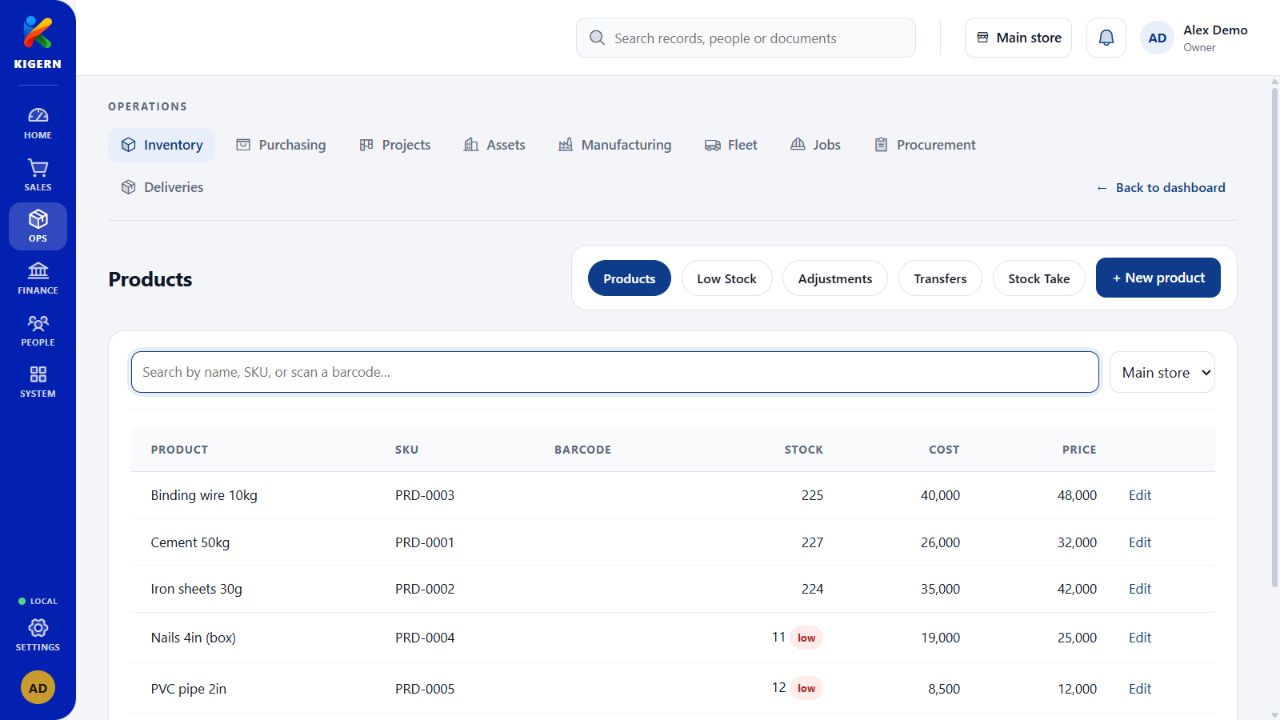
Stock work is more than a product list. It is knowing what arrived, where it went, and what needs checking. Kigern gives those everyday movements a place in your business records.
Organise your products, prices, and stock levels. Review low-stock warnings to decide what to count or reorder before the next busy period.
Keep supplier details and purchasing records together. Follow the purchase workflow as stock arrives instead of relying on separate notes.
Use stock takes to compare recorded quantities with your shelves. Record branch transfers so stock moving between locations has a traceable history.
Sales, purchasing, and stock share the same product records. A reliable opening count helps the rest of the business start from consistent quantities.
See how the areas fit togetherGather these records before setup. We can help you work through the details.
Read the setup guide